VS Code is Bloatware: Why I Returned to Sublime Text in 2026 (The 16GB Solution)

Table of Contents
Introduction: The Stockholm Syndrome of Modern Development
It is 2026. We have laptops with 16-core Neural Processing Units designed to run local AI models. We have NVMe SSDs with read speeds that defy logic. We have internet connections faster than the internal networks of a decade ago.
And yet, we accept waiting five seconds for our text editor to open.
My Hosting Choice
Need Fast Hosting? I Use Hostinger Business
This site runs on the Business Hosting Plan. It handles high traffic, includes NVMe storage, and makes my pages load instantly.
Get Up to 75% Off Hostinger →⚡ 30-Day Money-Back Guarantee
We have collectively developed a form of Stockholm Syndrome with our development tools. We have accepted that in order to write code—essentially manipulating plain text files—we must supply a tithe of gigabytes of RAM to our editor gods.
For the past decade, Visual Studio Code has been the undisputed monarch of the developer experience. It dethroned Atom, it buried Eclipse, and it relegated Vim to the greybeards in the server room. Microsoft built an incredible ecosystem; its plugin marketplace is unrivaled, and its out-of-the-box experience is welcoming.
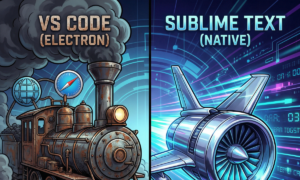
But there was a hidden cost to this convenience, one that has compounded year after year. VS Code is not a native application. It is built on Electron. To edit a JavaScript file, you are essentially launching an instance of the Google Chrome web browser, complete with its rendering engine, JavaScript runtime (V8/Node), and networking stack.
On a top-tier M4 Max MacBook with 64GB of Unified Memory, this cost is hidden by brute-force compute. But I am an engineer who believes in constraints. I develop on a standard, corporate-issue 16GB Intel laptop(Before even i had 8GB RAM). This is the hardware reality for the vast majority of developers globally.
On a 16GB machine in 2026, the “Electron Tax” has become unbearable. Running VS Code alongside Docker containers, a local database, maybe a local Ollama instance, and the inevitable 30 Chrome tabs for Stack Overflow, brings the machine to its knees. The fans spin up, the OS starts swapping memory to disk, and the latency between keystroke and screen becomes perceptible.
Last month, during a critical debugging session where my editor started lagging behind my typing, I snapped. I realized my tools were fighting me.
I needed an exorcism. I needed to purge the browser from my editing workflow. I went back to the tool we all abandoned for being “too simple”: Sublime Text.
What I found was not nostalgia. It was the most performant, responsive, and—surprisingly—intelligent development experience I have had in a decade. This is why I switched, and why, if you care about engineering efficiency, you should too.
The Core Philosophy: Native Craftsmanship vs. Web Assembly Lines
To understand why the difference between these editors matters, you have to look past the UI and into the architecture.
The modern software industry is obsessed with “Write Once, Run Anywhere.” This is why Electron became dominant. It allows a team of web developers to build desktop applications using HTML, CSS, and JavaScript. Slack, Discord, Spotify, and VS Code are all essentially sophisticated web pages trapped in a desktop window.
This is great for the maintainers of those applications, as they only need one codebase. It is terrible for the users of those applications, who pay for that convenience with their system resources. Every Electron app you open runs its own separate instance of Chromium. It is the architectural equivalent of towing a separate generator for every appliance in your house, rather than just plugging them into the wall.
Sublime Text is different. It is built with a philosophy of native craftsmanship. It is written in C++ and Python. It uses its own custom, highly optimized rendering engine designed for one thing only: drawing text on a screen as fast as possible.
When you open Sublime Text, it interacts directly with your operating system’s native APIs. There is no middleware browser layer. There is no massive JavaScript garbage collector fighting for CPU cycles every few seconds.
The Feeling of “Instant”
In 2026, we have forgotten what “instant” feels like. We have redefined it to mean “under two seconds.”
When I click the VS Code icon in my dock, there is a bounce. Then a window outline appears. Then a blank grey screen. Then, slowly, the UI elements populate. Then the extension host spins up, loading GitLens, Prettier, ESLint, and twenty other JavaScript bundles into memory. Finally, I can type.
When I click the Sublime Text icon, it is there. It doesn’t load; it appears. It is ready to accept input before my finger has fully lifted off the mouse button.
This difference sounds trivial on paper. In practice, over an eight-hour workday where you switch contexts hundreds of times, it is the difference between a flow state and death by a thousand cuts.
The Benchmark: The 16GB Reality Check
Subjective feelings are nice, but as engineers, we demand data. I decided to audit the resource usage of a typical development environment on my 16GB machine.
The Test Setup:
- Hardware: LENOVO V14 G3, Intel Core i5 (1235u), 16GB RAM, Windows 11.
- The Project: Many Frontend and streamlit websites.
- VS Code Config: Standard install with essential extensions: ESLint, Prettier, GitLens, Tailwind CSS.
- Sublime Text 4 Config: just pure code.
I opened the same project in both editors, opened 10 tabs of various files (TypeScript, JSON, CSS), and let them settle for 5 minutes. Then I opened the Task Manager.
The results were not surprising, but they were staggering to see visualized.
VS Code, sitting idle, was consuming a lot of RAM without even bigger task. That is nearly 10% of my total system memory dedicated to a text editor that isn’t doing anything.
Sublime Text, with the exact same project loaded, was using less RAM.
The implication is massive. By switching to Sublime Text, I instantly reclaimed over 1GB of RAM. In practical terms, that RAM is the difference between:
- Keeping that extra AI documentation tab open in Chrome.
- Running a local LLM like a quantized 7B Llama model for privacy-focused coding assistance.
When you are engineering on constraints, 1GB of RAM is gold. VS Code spends it like water; Sublime Text hoards it like a dragon.
Debunking the Myth: “Sublime is Dumb”
If the performance argument is so irrefutable, why did everyone leave Sublime Text in the first place?
Around 2016, VS Code introduced something that changed the game: IntelliSense. Suddenly, the editor actually understood your TypeScript code. It could autocomplete complex object properties, import modules automatically, and catch type errors before you saved the file.
Sublime Text, at the time, was just a very fast text editor with syntax highlighting. It felt “dumb” by comparison. We traded performance for intelligence.
That tradeoff no longer exists in 2026.
The greatest trick Microsoft ever pulled was convincing the world that IntelliSense was a feature of VS Code. It is not. It is an open standard called the Language Server Protocol (LSP).
LSP decoupled the intelligence (the “server”) from the editor (the “client”). The TypeScript team maintains an LSP server that knows everything about TypeScript. VS Code is just a client that talks to that server.
Guess what else can be an LSP client? Sublime Text.
By installing the LSP package and the helper for your language (e.g., LSP-typescript), Sublime Text hooks into the exact same intelligence engine that powers VS Code.
You get the same squiggly red lines for errors, the same “Go to Definition,” the same rich hover documentation, and the same context-aware autocomplete.
With LSP, Sublime Text is no longer just a fast notepad. It is a lightning-fast, native IDE shell wrapped around industry-standard intelligence tools. It is the brains of VS Code without the obese body of Electron.
The Modern Sublime Stack for 2026
Out of the box, Sublime Text is still minimalist. To bring it up to parity with a 2026 VS Code workflow, you need to spend about 10 minutes setting it up. It is a small investment for a massive return in daily efficiency.
Here is the essential “16GB Warrior” stack for Sublime Text:
1. Package Control (The Gateway)
This is the first thing you install. It’s the extension manager for Sublime, akin to the VS Code Marketplace.
2. LSP (The Brains)
As mentioned above, this is mandatory. Install the base LSP package, then install the specific servers for your stack:
LSP-typescript(for JS/TS)LSP-pyright(for Python)LSP-gopls(for Go)LSP-tailwindcss(yes, even Tailwind intellisense works perfectly)
3. Terminus (The Missing Link)
The number one reason developers cite for sticking with VS Code is the Integrated Terminal. Being able to run git status or npm run dev in a panel right below your code is vital to the modern workflow.
For years, Sublime lacked this. Now, there is Terminus.
Terminus is a full-featured terminal emulator that runs inside a Sublime Text view. You can dock it to the bottom of the window, use your standard shell (zsh, bash, PowerShell), and it supports full colors and interactivity.
4. GitGutter (The Context)
VS Code is great at showing you what lines you have changed since the last commit right in the margin. The GitGutter package adds this exact functionality to Sublime. Simple, effective, and essential.
Conclusion: The Joy of Engineering on Constraints
There is a specific joy in using tools that respect your hardware.
Driving a heavy, bloated car feels numbing. Driving a lightweight, responsive sports car feels connecting. You feel the road; every input has an immediate reaction.
Moving back to Sublime Text feels like trading the minivan for the sports car.
When I hit Ctrl+P to fuzzy-search a file in a massive repository, it appears instantly. Scrolling through ten thousand lines of code happens at the refresh rate of my monitor, buttery smooth, with zero dropped frames.
Does VS Code have more features? Yes. It has a built-in browser, it has remote development containers, it has ten thousand more plugins that do everything from ordering pizza to checking the weather.
But if you are an engineer focused on the act of writing code, creating value, and optimizing your limited resources, 95% of those features are just noise. They are overhead that you pay for with every second of latency and every gigabyte of RAM.
In 2026, the “modern” approach isn’t to throw more hardware at inefficient software. The modern approach is to demand efficiency from our tools so we can use our hardware for things that actually matter—like running local AI, Docker microservices, and complex compilations.
Reclaim your RAM. Stop waiting for your editor to think. Try Sublime Text again for a week. You might find it impossible to go back to the browser.

🚀 Let's Build Something Amazing Together
Hi, I'm Abdul Rehman Khan, founder of Dev Tech Insights & Dark Tech Insights. I specialize in turning ideas into fast, scalable, and modern web solutions. From startups to enterprises, I've helped teams launch products that grow.
- ⚡ Frontend Development (HTML, CSS, JavaScript)
- 📱 MVP Development (from idea to launch)
- 📱 Mobile & Web Apps (React, Next.js, Node.js)
- 📊 Streamlit Dashboards & AI Tools
- 🔍 SEO & Web Performance Optimization
- 🛠️ Custom WordPress & Plugin Development